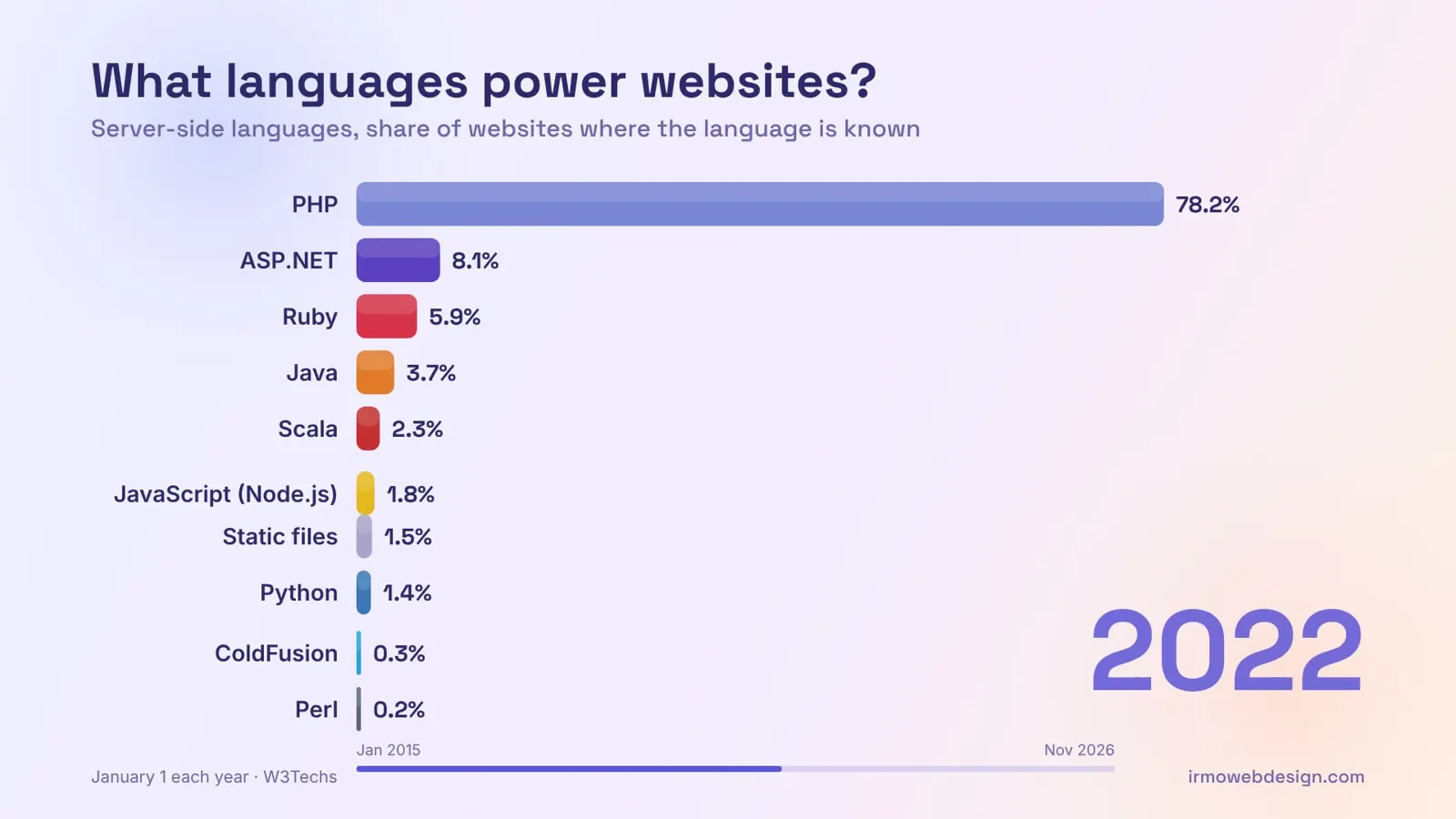
What PHP means
PHP runs on the server to build pages before they reach the browser. Keeping your host's PHP version current matters for speed and security.
Why it matters for your website
If your site runs on WordPress, PHP is doing the work behind every page. Running an outdated PHP version can leave security holes and slow your site down. Keeping it current, after testing, is a simple way to improve speed and safety.
Example
A family law firm's host warns that its site runs an old PHP version that no longer gets security fixes. The developer tests the site on a newer version, fixes one outdated plugin and upgrades.
Tips
- Check which PHP version your site uses in your hosting dashboard or CMS health check.
- Test a PHP upgrade on staging before switching your live site.
- Stay on a PHP version that still receives security updates.
Common mistakes
- Ignoring host warnings about end-of-life PHP versions.
- Upgrading PHP on a live site without checking plugin and theme compatibility first.
Questions about PHP
What is PHP?
A server-side programming language that powers WordPress and many other CMSs.
How do I check my WordPress site's PHP version?
Go to Tools, then Site Health, in your WordPress dashboard and look in the Info tab under Server. Your hosting control panel usually shows it too.
Will upgrading PHP break my website?
It can if a plugin or theme uses outdated code. Testing on a staging copy first lets you find and fix problems before visitors see them.